Stop Frying Your Pi: What Cheap Power Supplies Are Actually Doing to Your Single-Board Projects
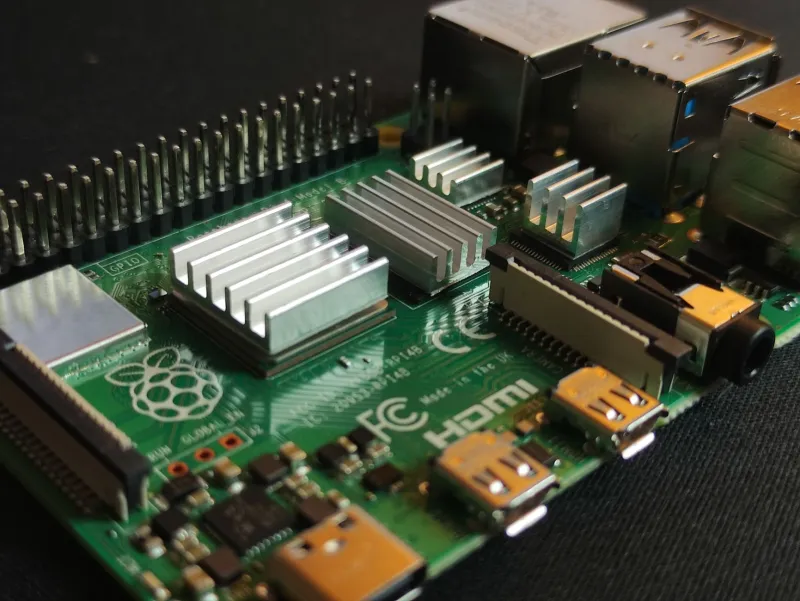
There's a cruel irony baked into the Raspberry Pi ecosystem. You spend thirty-five bucks on a Pi 4, another ten on a microSD card, maybe fifteen on a case and some heatsinks — and then you grab whatever USB-C brick is rattling around in your junk drawer and call it a day. Why wouldn't you? It's just power, right?
Wrong. Very, very wrong.
We've been running budget power supplies through their paces here at Cheap5V for a while now, and single-board computers — especially anything in the Pi family — are genuinely one of the worst-case scenarios for cheap power hardware. Here's why that matters, and what our testing actually showed.
What a Raspberry Pi Actually Needs From a Power Supply
The Raspberry Pi Foundation isn't being dramatic when they publish their official power requirements. A Pi 4 running a moderate workload draws somewhere between 600mA and 1.2A at 5V. Throw in active USB peripherals, a keyboard, a mouse, a camera module — you can push past 2A without breaking a sweat. The official recommendation is a 5.1V, 3A supply, and that extra 0.1V isn't a typo. It's a deliberate buffer designed to compensate for voltage drop across the USB cable.
Here's the thing about cheap adapters: they're typically rated at exactly 5.0V, not 5.1V. And that rating assumes ideal conditions — a short, thick cable, a light load, and a room-temperature environment. In the real world, you're probably using a thin cable, running the Pi under load, and the adapter is warm from sitting on a power strip all day. Voltage droops. Sometimes a lot.
The Pi's onboard power management IC starts throwing undervoltage warnings at around 4.63V. Below that, you get the dreaded lightning bolt icon in the corner of your display — and if things get bad enough, random reboots, SD card corruption, and USB peripheral dropouts start happening with no obvious cause.
Our Testing Setup
We pulled together eight power supplies for this comparison: three generic no-name USB-C adapters from online marketplaces (priced between $4 and $9), two mid-tier options from recognizable but not premium brands (around $12–$18), and three higher-end supplies including the official Raspberry Pi USB-C Power Supply and a couple of well-regarded third-party options in the $25–$35 range.
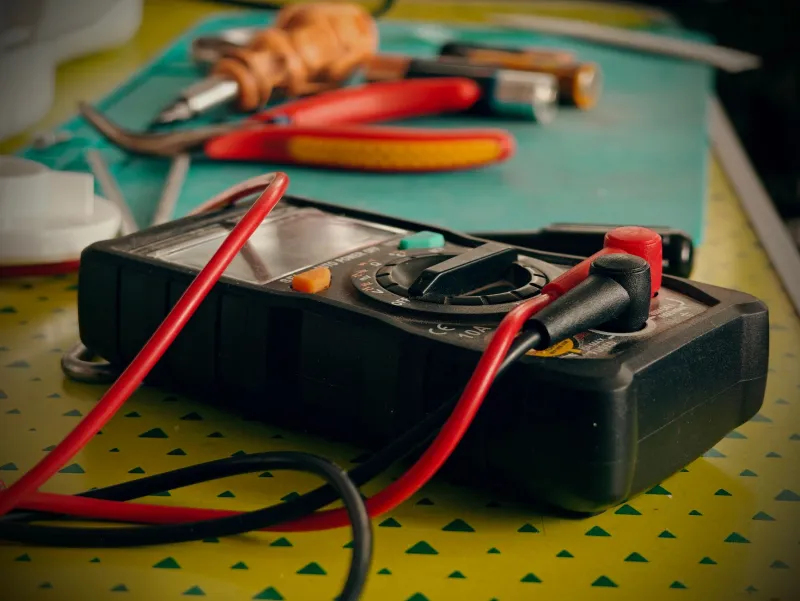
We ran each supply into a Pi 4 with a consistent load: a USB SSD actively transferring files, a wireless USB dongle, and a stress test running on all four CPU cores simultaneously. We measured voltage at the GPIO 5V and GND pins — not at the wall, not at the adapter output, but right at the board itself — using a calibrated multimeter and a USB power meter inline.
We also let each supply run for 30 minutes under load before taking measurements, because cold performance and warm performance are genuinely different things with cheap hardware.
What the Budget Adapters Actually Did
The results were not flattering for the bargain tier.
All three no-name adapters started life looking reasonable — initial voltage readings of 4.95V to 5.02V under light load. The moment we hit the board with full CPU stress and active USB transfers, things got ugly fast. The cheapest adapter, a $4.99 unit with no brand markings whatsoever, dropped to 4.51V at the GPIO pins under full load. That's not just in undervoltage territory — that's "your Pi is about to do something weird" territory. And it did: we got two spontaneous reboots during our 30-minute test window.
The other two budget units fared slightly better — 4.71V and 4.68V respectively — but both still triggered undervoltage warnings consistently. Neither caused outright reboots in our test, but we wouldn't trust either of them running a Pi as a home server or any application where uptime matters.
Cable quality made things worse across the board. Swapping in a thin, 28AWG charging cable (the kind that ships with a lot of cheap phones) knocked another 0.1V–0.15V off the delivered voltage on every supply we tested. That's not nothing.
The Mid-Tier Results
The two mid-range supplies were meaningfully better, though not perfect. Under full load, they delivered 4.81V and 4.87V at the GPIO pins — still technically below the 5.1V ideal, but comfortably above the undervoltage threshold. Neither triggered warnings during our test. Both ran warm but not hot after 30 minutes.
For casual Pi use — a desktop machine, a light media center, hobby projects that aren't mission-critical — these are probably fine. The Pi will run. You'll have a decent experience most of the time. But "most of the time" isn't a great standard when you're building something you actually depend on.
The Premium Tier Delivered What It Promised
The official Raspberry Pi supply and the better third-party options performed exactly as advertised. Voltage at the GPIO pins under full load ranged from 4.98V to 5.06V — stable, consistent, and well above the danger zone. No warnings, no reboots, no surprises. The official Pi supply ran noticeably cooler than everything else we tested, which matters for longevity.
Were they worth the extra money? That depends on what you're building.
The Hidden Cost Math Nobody Does
Here's the argument for spending more on power that most people skip over. A $5 adapter that causes SD card corruption once every few months isn't really saving you money. SD cards aren't expensive, but the time spent re-flashing, reconfiguring, and troubleshooting is real. If your Pi is running a home automation setup, a print server, a Pi-hole, or anything else that other people in your household depend on, downtime has a cost.
A single corrupted SD card event that takes you two hours to recover from — at any reasonable valuation of your time — has already cost more than the price difference between a garbage adapter and a quality one. Two events and you've paid for a premium supply twice over.
That's the core of the "expensive supply is actually cheaper" argument, and it holds up. We're not saying you need to spend $50 every time you power a Pi. But the $4.99 adapters? They're a false economy. Full stop.
What We Actually Recommend
If you're building something you care about — a home server, a retro gaming console, a smart home hub, a project you've spent real time on — spend the money on a quality supply. The official Raspberry Pi USB-C Power Supply is genuinely good and widely available. Several third-party options in the $20–$35 range are also solid if you do a little research.
If you're prototyping, testing a concept, or running a Pi for a few hours on your desk to try something out — a decent mid-tier supply is probably fine. Just don't be surprised if you see the lightning bolt.
And if you're running a Pi headless as a server with no monitor attached? You might not even see the undervoltage warnings until something breaks. That's the sneakiest failure mode of all.
Clean power isn't glamorous. It doesn't have RGB lighting or a cool enclosure. But it's the foundation that everything else sits on — and on single-board computers especially, cutting corners there is a bet you'll eventually lose.