ESP32 Keeps Rebooting for No Reason? Blame the Tiny Regulator on the Back of the Board
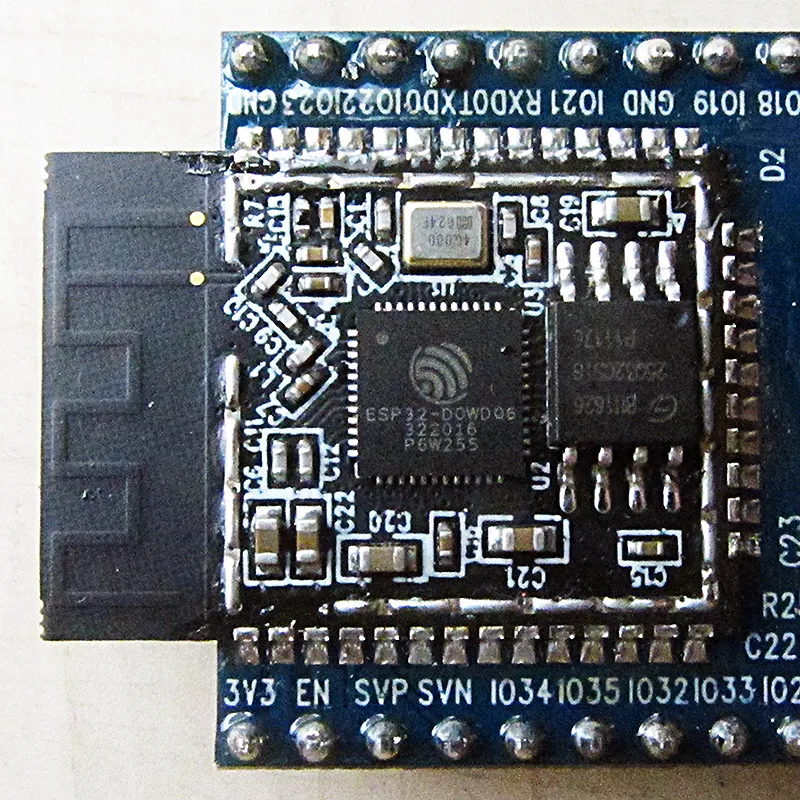
Photo: Brian Krent, CC BY-SA 4.0, via Wikimedia Commons
You flash your ESP32 project, watch it boot, smile for about three seconds, and then — reset. Boot again. Reset again. If you've spent any time with the cheaper ESP32 dev boards floating around on Amazon or AliExpress, you've probably lived this nightmare. The serial monitor spits out Brownout detector was triggered and you're left wondering what you did wrong.
Here's the thing: you probably didn't do anything wrong. The board did.
What's Actually Happening Inside That Little Chip
The ESP32's Wi-Fi radio is the culprit hiding in plain sight. When the module fires up its radio transmitter — whether it's scanning for networks, making a connection, or sending data — it can pull anywhere from 250mA to 500mA in short, sharp bursts. Some measurements on active transmission spikes have clocked in even higher than that.
The onboard voltage regulator on most cheap ESP32 dev boards is an AMS1117-3.3, or a clone of one. It's a linear regulator rated for 1A, which sounds like plenty of headroom on paper. The problem is that "1A" rating assumes ideal conditions: a good input voltage, minimal thermal stress, and — critically — stable decoupling capacitance on the output. Budget boards often skimp on that last part. The output capacitor might be a generic 10µF electrolytic that was chosen for cost, not performance, and it simply can't respond fast enough to those Wi-Fi transient spikes.
The result? The output rail sags. If it dips below about 2.5V, the ESP32's internal brownout detector fires and the chip resets. Over and over and over.
Measuring the Problem Yourself
Before you throw money at a fix, it helps to see the problem with your own eyes. If you have a cheap USB power meter with a voltage display — something like a UM25C or even a basic inline tester — you can watch the supply voltage wobble in real time as your ESP32 tries to connect to Wi-Fi. A stable 5V USB source feeding a healthy board should hold rock solid. On a troubled setup, you'll see the display flutter or dip during connection attempts.
For a more granular look, scope probing the 3.3V rail directly while the ESP32 scans for networks is even more telling. Transient dips of 200–400mV aren't unusual on boards with weak output filtering. That's not a software bug. That's a hardware problem.
The $2 Fix That Actually Works
Good news: there are two approaches here, and you can combine them for maximum reliability without spending more than two dollars total.
Option 1: Bulk Up the Output Capacitance
The fastest, cheapest intervention is adding capacitance right at the 3.3V rail. Grab a 100µF electrolytic capacitor (rated 6.3V or higher) and a 100nF ceramic cap. Solder them in parallel directly across the 3.3V and GND pins on your dev board — or if you're comfortable with SMD work, tack them right onto the output side of the AMS1117. The electrolytic handles bulk energy storage to ride out those slow transients, while the ceramic cap handles the high-frequency stuff the electrolytic is too sluggish to deal with.
This combo will run you maybe 20–30 cents if you're ordering from a component supplier, or you can pull them out of an old motherboard or power supply PCB for free. After adding this capacitance, many users report their brownout resets disappearing entirely, especially if the ESP32 is being powered from a decent 5V source.
Option 2: Bypass the Onboard Regulator Entirely
If your project demands reliable performance and you're already using a 5V supply, consider bypassing the AMS1117 altogether and feeding 3.3V directly from a dedicated buck converter. A mini MP2307 or MP1584-based step-down module — the kind that sells for under a dollar on AliExpress or in multi-packs on Amazon — can deliver clean, stable 3.3V at up to 3A. That's six times the current headroom of the stressed AMS1117 situation you're dealing with.
Set the output to 3.3V using the trim pot, connect it directly to the 3.3V pin on your ESP32 board (with the onboard regulator's input disconnected or the board powered only through the 3.3V pin), and you've effectively given your microcontroller a proper power supply. Add a 100µF cap on the output of the buck module for good measure.
Total cost for a decent MP1584 module: about $1.20 if you buy a five-pack. That's less than a gas station coffee.
Parts List
- 100µF electrolytic capacitor, 6.3V+ rating — ~$0.10 each in bulk, or scavenge from old electronics
- 100nF ceramic capacitor (0.1µF) — ~$0.05 each, or pull from a dead PCB
- Mini MP1584 or MP2307 buck converter module (optional, for the bypass approach) — ~$1.20 for a five-pack
- Short lengths of hookup wire or thin solid-core wire — probably already in your parts bin
Total out-of-pocket: $0.15 to $2.00 depending on which route you take.
A Few Things to Watch Out For
If you go the bypass route and feed 3.3V directly to the dev board's 3.3V pin, double-check that you're not also powering the board through USB at the same time without thinking through the consequences. Most dev boards have a diode or resistor between the USB 5V and the AMS1117 input, so simultaneous power shouldn't cause fireworks — but it's worth tracing your specific board's schematic before you commit. ESP32 Dev Kit C boards are generally safe for this approach; some of the weirder no-name layouts are less predictable.
Also, if you're running sensors, displays, or other peripherals from the same 3.3V rail, that increases total current draw and makes a robust supply even more important. An OLED display pulling 20mA plus a DHT22 plus Wi-Fi activity can push the AMS1117 into thermal throttling on its own.
The Bigger Picture
Budget ESP32 boards are a fantastic value — nobody here is going to tell you to spend $30 on an Adafruit Feather when a $3 board from overseas does 90% of the same job. But "cheap" doesn't have to mean "unreliable." The hardware inside is genuinely capable. It's the support circuitry that cuts corners, and that's exactly the kind of thing a maker can fix with a soldering iron and a handful of passive components.
Two dollars. That's the gap between a project that reboots itself into uselessness and one that runs for months without a hiccup. Spend the two dollars.
