30 Days, 20 Devices, One Very Ugly Power Bill: Our Maker Workshop Phantom Load Audit

There's a particular kind of denial that sets in when you spend a lot of time optimizing your builds. You agonize over a $0.30 voltage regulator, you swap out a capacitor to shave two milliamps off your idle current draw, and then you go home and leave your soldering station in standby mode for 16 hours straight. We've all been there. The difference is that this time, we decided to actually measure it.
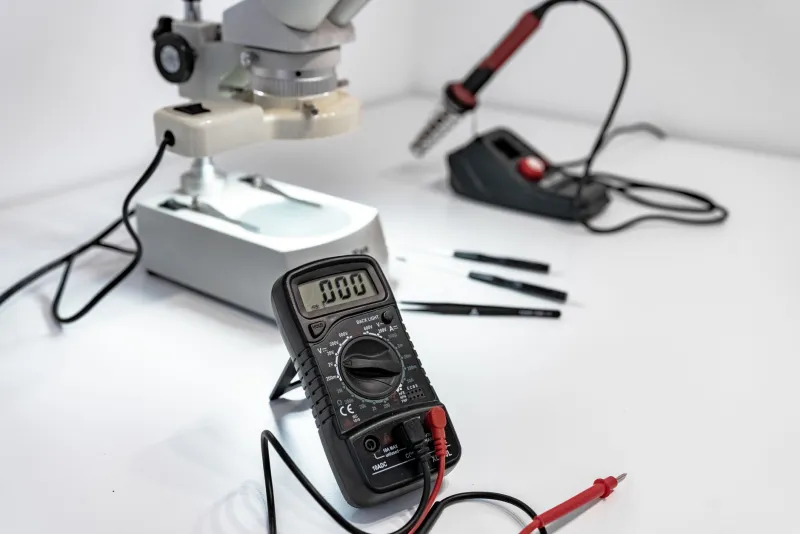
For 30 consecutive days, we plugged Kill-A-Watt meters and inline current loggers into 20 devices that live in a typical maker workshop — everything from 3D printers to oscilloscopes to that ancient bench lamp that's been running since the Obama administration. We logged data every 15 minutes, ran the numbers, and came up with a figure that made us sit down: $847 in annualized hidden waste, extrapolated from a single month of real-world measurements across a single workshop space.
Let's break down what's actually going on.
What We Measured (And How)
The device list was deliberately unsexy. We weren't trying to catch exotic equipment — we wanted the stuff that's actually sitting on benches across America right now:
- Two FDM 3D printers (one budget, one mid-range)
- A resin printer with its UV curing station
- Two soldering stations (one Hakko clone, one name-brand)
- A desktop oscilloscope
- A bench power supply (the kind with the big analog meters)
- A hot air rework station
- A label maker
- Two laptop chargers left plugged in without laptops attached
- A 4-port USB charging hub
- A desktop computer used for CAD and slicing
- A monitor
- An LED desk lamp with a built-in USB port
- A small space heater used to keep the workshop above 60°F in winter
- A wireless router dedicated to the workshop
- A Raspberry Pi running OctoPrint
- A cheap ultrasonic cleaner
- A cordless tool charging station (four bays, always plugged in)
Every device got a Kill-A-Watt meter on its outlet. Where we needed finer granularity — particularly for devices that cycle on and off automatically — we added a current transformer logging to a data-collection Pi. Nothing fancy. Total measurement hardware cost: about $60 in Kill-A-Watt units we already owned, plus maybe $15 in clamp sensors.
The Biggest Offenders
The 3D Printers Were Brutal in Standby
This one genuinely surprised us. Both printers — one a popular budget machine, one a mid-range workhorse — were left powered on between print jobs as most hobbyists do. The budget machine drew a consistent 7.3 watts in idle standby, even with the bed cold and the hotend off. The mid-range unit was worse: 11.2 watts at idle, almost certainly due to its more complex mainboard and always-on touchscreen.
Over 30 days, the two printers together spent roughly 540 hours in standby. That's about 5 kWh just sitting there doing nothing. At the US average of around $0.16/kWh, that's not catastrophic on its own — but scaled to a year, it's over $26 just for printer standby across two machines.
The Rework Station and Soldering Irons Were the Real Villains
Here's where the numbers got genuinely uncomfortable. The hot air rework station — left switched on at its lowest temperature setting between sessions rather than fully powered down — drew 34 watts continuously. Over a month of logging, it was in this "warm idle" state for an estimated 180 hours. That single habit cost the equivalent of about $35/year in wasted electricity.
The Hakko clone soldering station was sneakier. In sleep mode (the auto-setback function that drops the tip temperature after inactivity), it still pulled 8.4 watts. Not terrible individually, but this station was left in sleep mode for an average of 6 hours per day. That adds up to roughly $7/year just for the sleep state — which is supposed to be the responsible setting.
Laptop Chargers With No Laptops Attached
We've written about this before, but seeing it in the data again still stings. Two laptop chargers left plugged in with no devices connected drew a combined 4.1 watts continuously. Every hour of every day, all month long. Annualized, that's about $2.90 per charger per year. Not devastating, but completely avoidable.
The Cordless Tool Charging Station Was a Revelation
Four bays, all occupied by fully-charged batteries. This thing drew 22 watts around the clock, trickle-topping batteries that had been at 100% for days. Over the month, this charging station alone accounted for nearly 16 kWh of consumption. That's around $30/year just to keep batteries perpetually at full charge. Unplugging it when not actively charging would cost you nothing in convenience and save you real money.
The Space Heater (Surprise: Actually Fine)
We expected the space heater to be a monster. It wasn't — at least not in the phantom load sense. It drew essentially zero watts when off, and its thermostat-controlled cycling meant it only ran when actually needed. The lesson here is that a device with high wattage isn't automatically a problem if it's doing real work and actually turning off when it's done.
The Full Tally
When we added up every device's idle and standby draw across the month and annualized the figures, the total came to $847 per year in electricity that bought us absolutely nothing. No prints. No solder joints. No measurements. Just heat and entropy.
The three biggest contributors in order:
- The rework station left at warm idle: ~$35/year
- The cordless tool charger running 24/7: ~$30/year
- The desktop computer left in sleep mode instead of fully off: ~$28/year
What Actually Fixes This
The good news is that the solutions are cheap and boring, which is kind of our whole brand here at Cheap5V.
Smart plugs with energy monitoring — the $10-$15 kind you can grab from any hardware store or online — let you schedule power cutoffs for devices that don't need to be on overnight. We set the rework station outlet to cut power automatically at 11 PM. Problem solved for $12.
Power strips with individual switches are even simpler for devices that don't need scheduling. Flip the switch when you leave the bench. The cordless tool charger now lives on a switched strip. Flip it on when you're charging, flip it off when you're done.
OctoPrint's power control plugin, when paired with a smart plug, can automatically cut power to your 3D printer when a job finishes. This one's completely free if you're already running OctoPrint on a Pi.
The "actually turn it off" habit sounds too obvious to mention, but the data shows it's the most impactful change available. The rework station warm-idle problem isn't a hardware problem. It's a behavior problem.
The ROI Math Is Embarrassingly Fast
If you spend $50 on smart plugs and switched power strips to address the top five offenders on your bench, you'll recoup that investment in under a month based on our numbers. Everything after that is pure savings. Over five years, the compounding effect of these tiny idle draws adds up to well over $4,000 across a workshop like ours.
We're all out here sweating over the cost of a buck converter or arguing about whether a $3 LDO is worth it over a $1.50 alternative. Meanwhile, the rework station we forgot to turn off is quietly eating more money than a year's worth of component orders.
Measure your stuff. It's humbling. But it's also the first step toward actually being the frugal maker you think you already are.