We Plugged a Kill-A-Watt Into Everything — Your Idle Devices Are Costing You $200 a Year
You turn off the TV, walk away, and figure you're done paying for electricity. Except you're not. Not even close. Every device in your home that stays plugged in — whether it's "off" or just sleeping — is quietly sipping power around the clock. We call it phantom load, and after spending a weekend with a Kill-A-Watt P4400 meter going outlet to outlet through a typical American home, we can tell you exactly how bad it is.
Spoiler: bad enough to cost the average household somewhere between $150 and $250 per year. And a handful of devices are responsible for most of it.
What We Tested and How
The Kill-A-Watt is a $25 plug-in meter that reads wattage, voltage, current, and cumulative kWh. You plug it into the wall, plug your device into it, and read the display. Simple. We used the national average US electricity rate of about $0.16 per kWh to calculate annual costs — your rate might be higher (California, Hawaii, New England) or lower (parts of the South and Midwest), so adjust accordingly.
We tested each device in three states where applicable: fully on and active, idle or standby (on but not doing anything), and "off" — meaning powered down via the device's own power button but still physically plugged in.
The Worst Offenders
Game Consoles: 1–15W in standby
This one stings. A PlayStation 5 in rest mode with "Stay Connected to the Internet" enabled pulled just over 1.5W in our test — not awful on its own, but that adds up to about $2.10 per year. An older Xbox One in instant-on mode? That thing was drawing 15W at idle, which works out to roughly $21 per year just sitting there waiting for a voice command. If you have two or three consoles in the house, you're looking at real money.
Smart TVs: 0.5–5W in standby
Modern OLED and QLED TVs have gotten better, but they're not innocent. A 65-inch smart TV with quick-start mode enabled pulled 4.8W in our test — around $6.70 per year. Disable quick-start in the settings and that drops to under 0.5W. Easy win.
Cable/Satellite Boxes: 10–20W always
These are arguably the most egregious phantom load offenders in the average American home. Many cable boxes never truly power down — they're running 24/7 to grab guide updates and record scheduled content. Our test unit pulled a steady 17W regardless of whether it was "on" or "off." That's $23.80 per year, and that's just one box. Two-box households are paying nearly fifty bucks annually for the privilege of slightly faster channel guides.
Routers and Modems: 5–12W constant
Your router runs all the time — that's kind of the point. But a combo modem/router unit we tested pulled 9W continuously, costing about $12.60 per year. Not the biggest line item, but worth knowing. Some people put routers on smart plugs with schedules so they power down overnight. Whether that's worth the occasional reconnect headache is your call.
Inkjet Printers: 1–4W in standby
Inkjet printers are sneaky. Ours pulled 3.5W in standby — not earth-shattering, but it also runs a nozzle-cleaning cycle at random intervals that spikes to 20W+ for a few seconds. Annual standby cost: about $4.90. More annoying is the ink waste from those self-cleaning cycles, but that's a different article.
Desktop PCs and Monitors: 1–6W in sleep
A modern ATX desktop in sleep mode pulled 2.1W in our test — pretty reasonable. An older system with a less efficient power supply came in at 5.8W. Monitors in standby were mostly under 1W each. Not the crisis you might expect.
Phone and Laptop Chargers with Nothing Plugged In: 0.1–0.5W
Here's where the phantom load myth gets debunked a little. A USB wall adapter sitting in the outlet with no device connected pulls almost nothing — usually between 0.1W and 0.3W. That's about $0.14 to $0.42 per year. Not worth obsessing over. Focus your energy elsewhere.
Microwave Ovens: 2–4W for the clock
Your microwave is basically a clock with a cooking attachment. The display and control panel pull 2–3W constantly. Annual cost: around $3.50. Low priority unless you have multiple units.
The Full Ranked List (Annual Cost Estimate)
| Device | Standby Draw | Est. Annual Cost |
|---|---|---|
| Cable/satellite box | 17W | $23.80 |
| Xbox One (instant-on) | 15W | $21.00 |
| Router/modem combo | 9W | $12.60 |
| Smart TV (quick-start on) | 4.8W | $6.70 |
| Inkjet printer | 3.5W | $4.90 |
| Microwave (display) | 2.5W | $3.50 |
| PS5 (rest mode) | 1.5W | $2.10 |
| Desktop PC (sleep) | 2.1W | $2.95 |
| Phone charger (idle) | 0.2W | $0.28 |
Add it up across a two-console, two-TV, one-cable-box household and you're easily at $70–$100 from just those devices. Throw in the rest of the house and $200 annually is a realistic target.
Build a DIY Kill-Switch Circuit for Your Worst Offenders
Okay, here's where it gets fun for makers. Rather than just unplugging stuff manually (which you'll forget to do), you can build a simple switched outlet controller that cuts power to high-drain devices on a schedule or with a single button press.
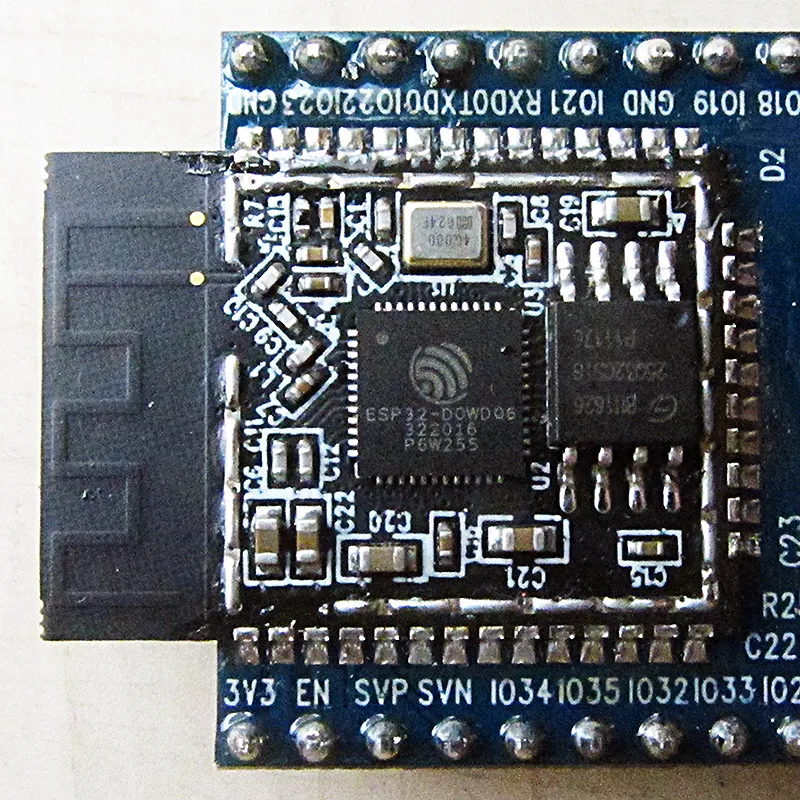
The basic approach: Use a relay module controlled by a microcontroller like an ESP8266 or ESP32 (both available for under $5) to switch a standard outlet on and off. Pair it with ESPHome or Tasmota firmware and you can control it from Home Assistant, a physical button, or a time schedule.
Parts you'll need:
- ESP8266 or ESP32 dev board (~$3–5)
- 5V relay module rated for AC mains (~$2)
- A short extension cord or outlet box to wire into (~$4)
- 5V USB power supply to run the controller (you've got plenty of those)
Important safety note: You're working with mains voltage. If you're not comfortable with that, use a commercially made smart plug instead — they're $10–15 each and handle all the scary parts for you. The DIY route is for folks who know how to work safely with AC wiring and want full control over the firmware.
For the cable box specifically, a simple 24-hour mechanical timer outlet ($8 at any hardware store) set to cut power during overnight hours is honestly the lowest-effort solution that still saves you real money. Not glamorous, but it works.
Which Devices Are Actually Worth Unplugging?
Based on our numbers, here's the practical guidance:
Unplug or switch off on a schedule: Cable boxes, older game consoles with instant-on modes, any device pulling more than 5W in standby.
Change the settings instead of unplugging: Smart TVs (disable quick-start), newer consoles (switch from instant-on to energy-saving mode), desktop PCs (adjust sleep settings in Windows/macOS).
Don't stress about it: Phone chargers, USB adapters, modern laptop chargers. The savings are pennies per year.
The Bottom Line
Phantom load is real, measurable, and concentrated in a small handful of devices. You don't need to unplug everything in your house — you need to deal with the cable box, the old game console, and maybe the router. Do that, and you've captured most of the savings. Add a few smart plugs or a DIY relay controller for the rest, and you're looking at a payback period measured in weeks, not years.
A $25 Kill-A-Watt meter is genuinely one of the best investments a maker or budget-conscious homeowner can make. Measure first, then decide. The numbers don't lie — and in our house, they were pretty humbling.